

MyKey Plus

Partner Students

IndyGo’s School Partner Program helps students access reliable transportation to school, work, extracurricular activities, internships and opportunities throughout IndyGo’s service area. Use this page to access the tools and information you need to ride safely and confidently, whether you’re a first time or a longtime rider!

Partner schools include:

  • Herron Preparatory Academy
  • Herron High School
  • Herron Riverside High School
  • Purdue Polytechnic High School (Broadripple & Englewood)
  • Indianapolis Metropolitan High School
  • BELIEVE Circle City
  • The BELIEVE Accelerator
  • IPS (Simon Youth, Unified Student Supports, Graduation Academy, George Washington High School, Arsenal Tech High School, Shortridge High School, Crispus Attucks High School)

Please note that students not attending one of these partner schools can be eligible for the Youth half fare rate if they are under 19 years of age.
How Student Transit Access Works

The steps below detail how to download the MyKey+ app, navigate the EZFare website, create an account using your school email, link your token to your account and ride! Use your pass to access IndyGo’s entire bus network.

If you want to use a MyKey+ card, please go to the Julia M. Carson Transit Center to obtain a card and receive assistance linking it to your account. Once you have a new MyKey+ hard card in hand and have linked it to your account, be sure to inform your school administrator to receive a pass assigned to your card.

Setting Up Your Account

NOTE: Click any image to view a larger version.

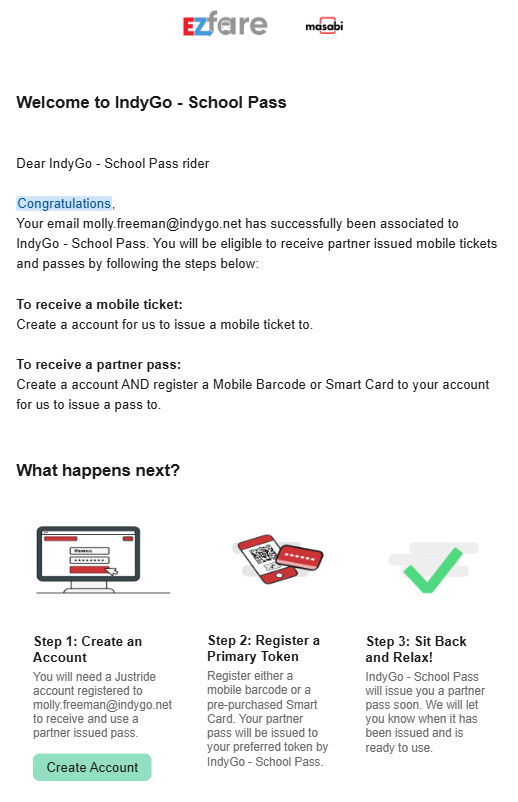
You will receive an email from EZFare showing that you have been associated with the School Pass Program. You can click the “Create Account” button.

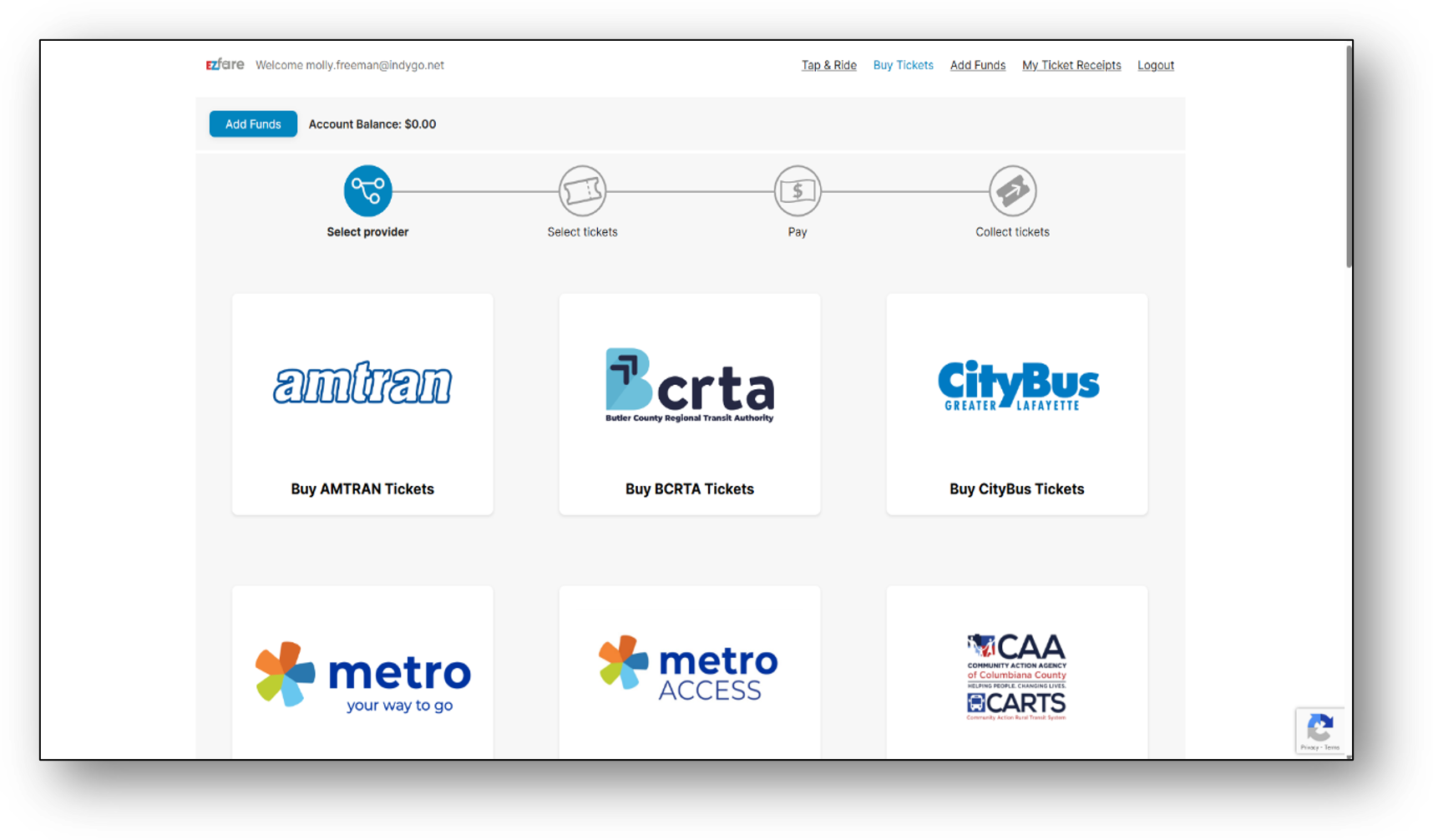
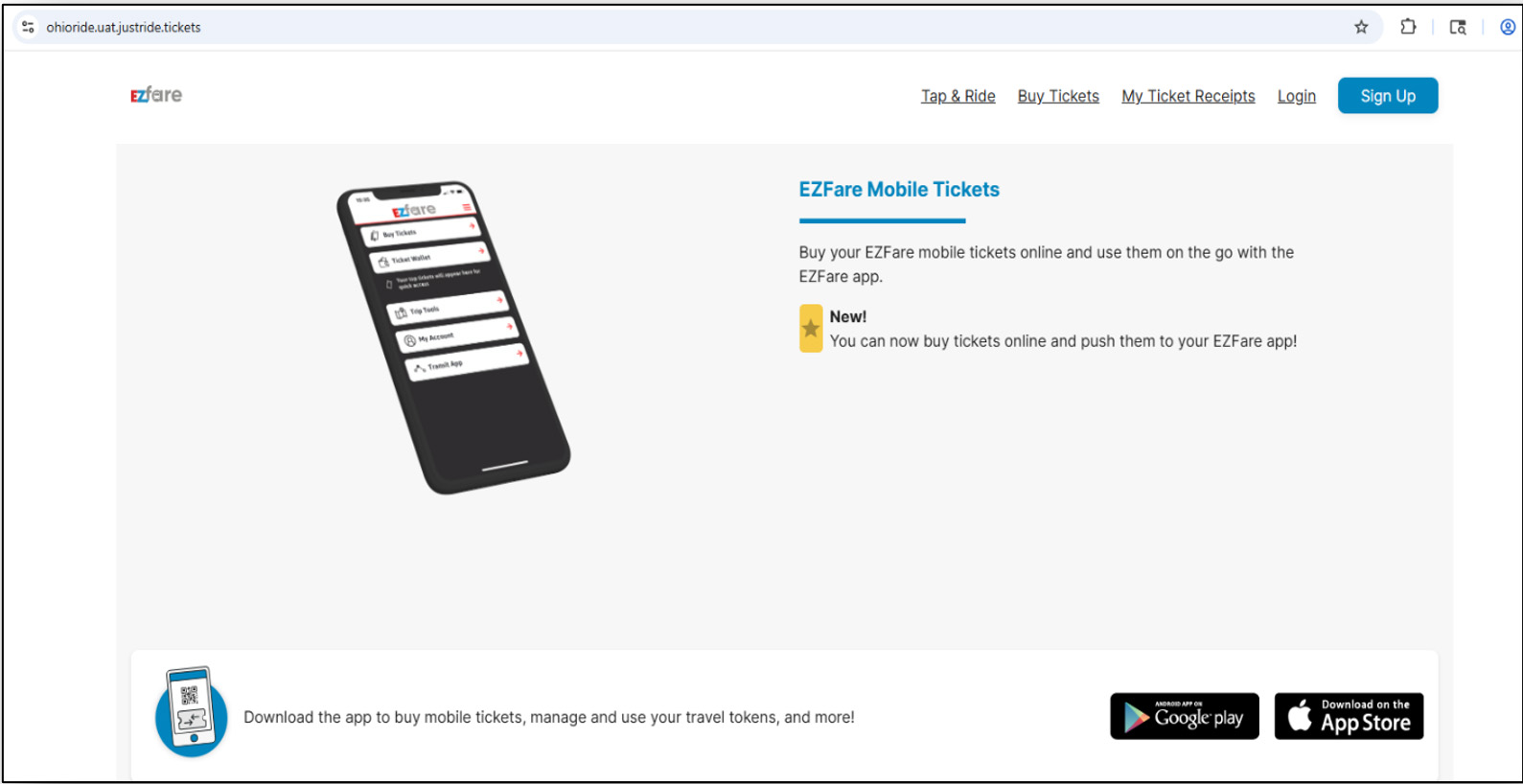
From there, you must create an account on the EZFare website by clicking “Sign Up,” then typing your school email address and creating a password.

Once an account has been created, you will be directed to this page. When you can see your email in the top left-hand corner, you have successfully created your account!

Linking Your Token to Your MyKey+ App

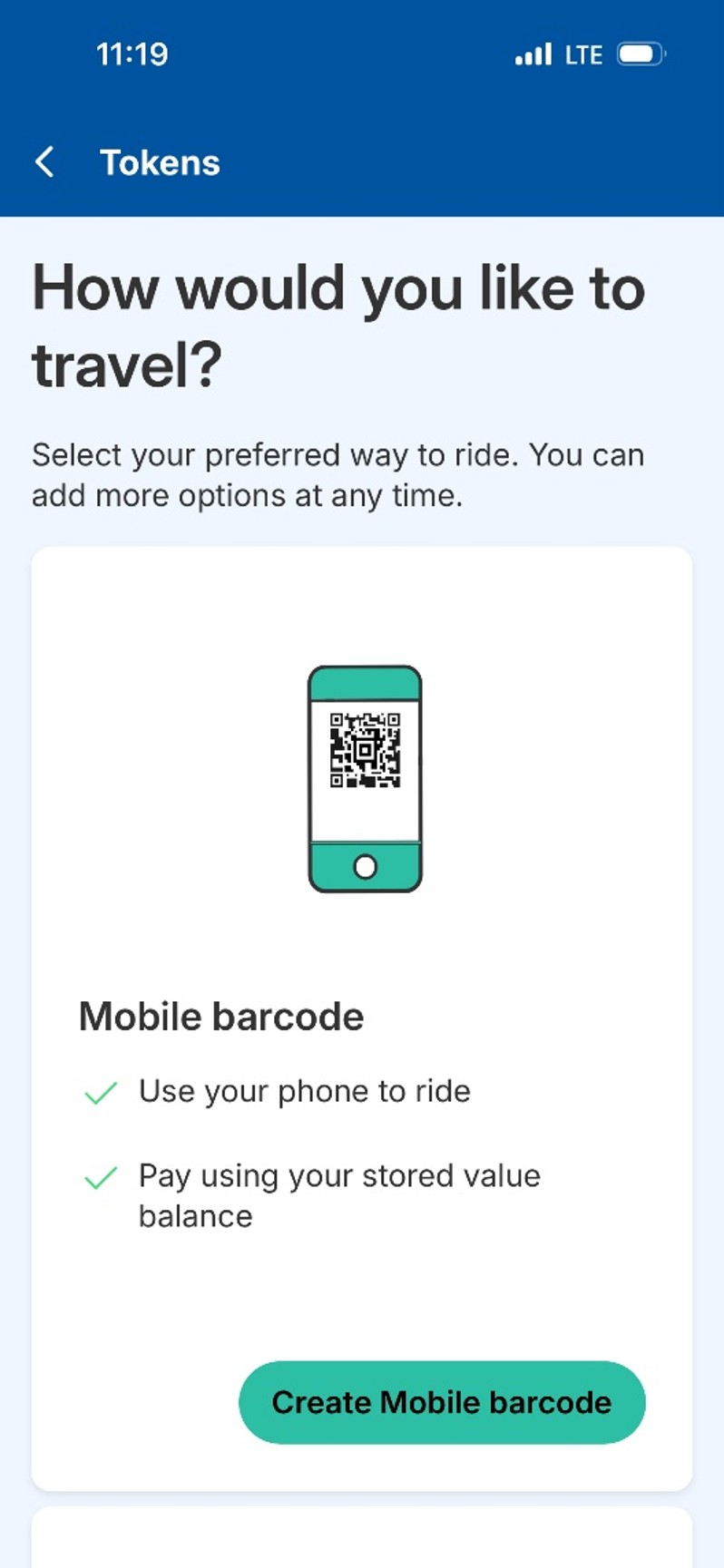
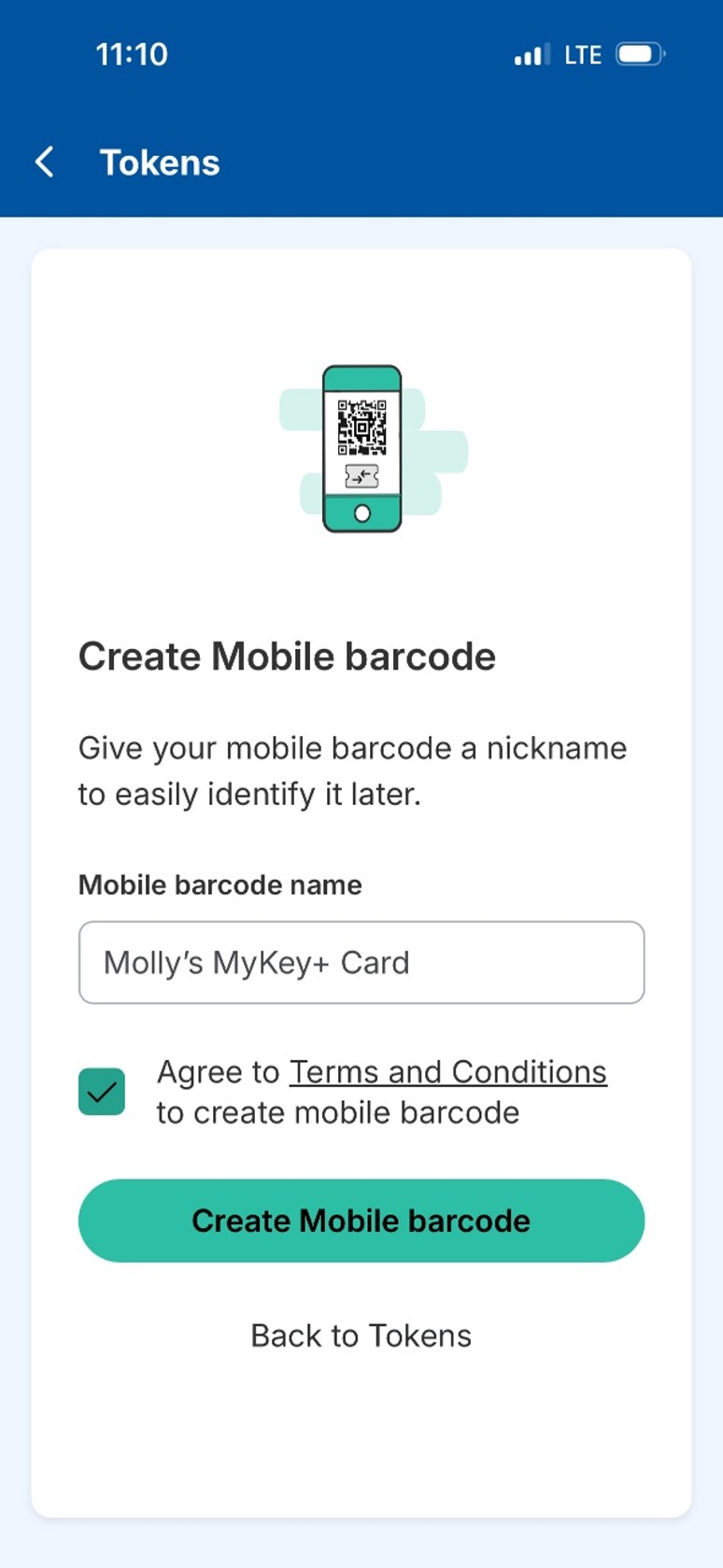
To tap and ride with your phone, you can download the MyKey+ app, and navigate to the “Tokens” section in the app. Once you’re there, you can tap “Add More Tokens.” Then, you must click “Create Mobile Barcode” under the “Mobile Barcode Option.” You must name the Mobile Barcode, then click “Create Mobile Barcode.”

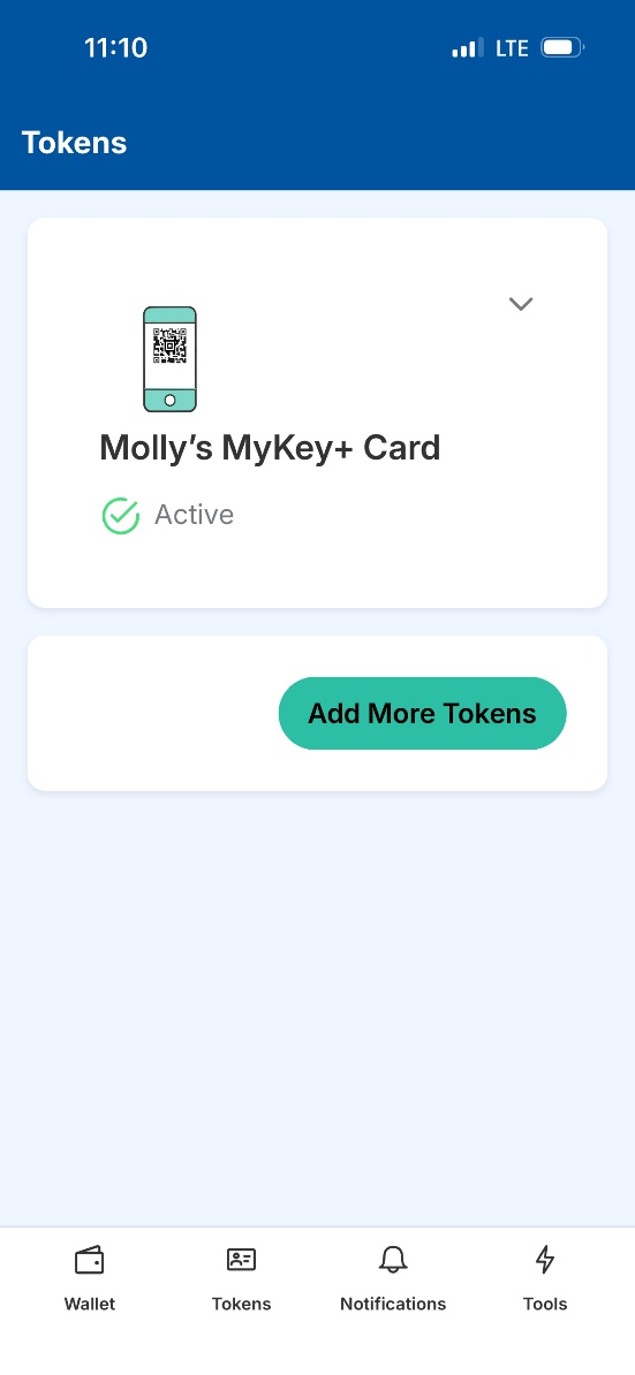
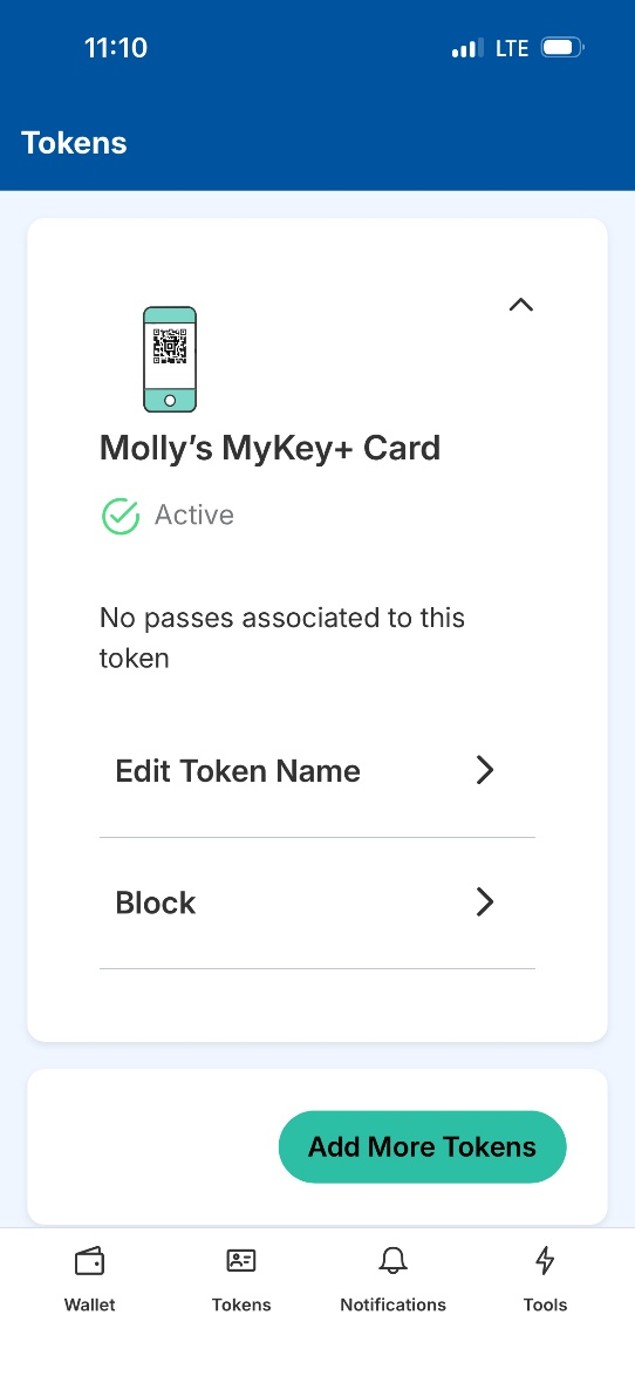
You can then click on “Tokens” at the bottom of the app to find the named Mobile Barcode officially active and linked to your account.

*Note, no pass will be associated to the token yet. This must be done by a school administrator for you to ride IndyGo fare-free.

Linking a Token to a MyKey+ Card

If you choose to ride with a personalized MyKey+ fare-card, you will need to go to the Julia M. Carson Transit Center (201 E. Washington St.). A Customer Care Desk staff member will take your picture and print you a personalized card.

You can then link your personalized MyKey+ card to your account via the MyKey+ app or EZFare website.

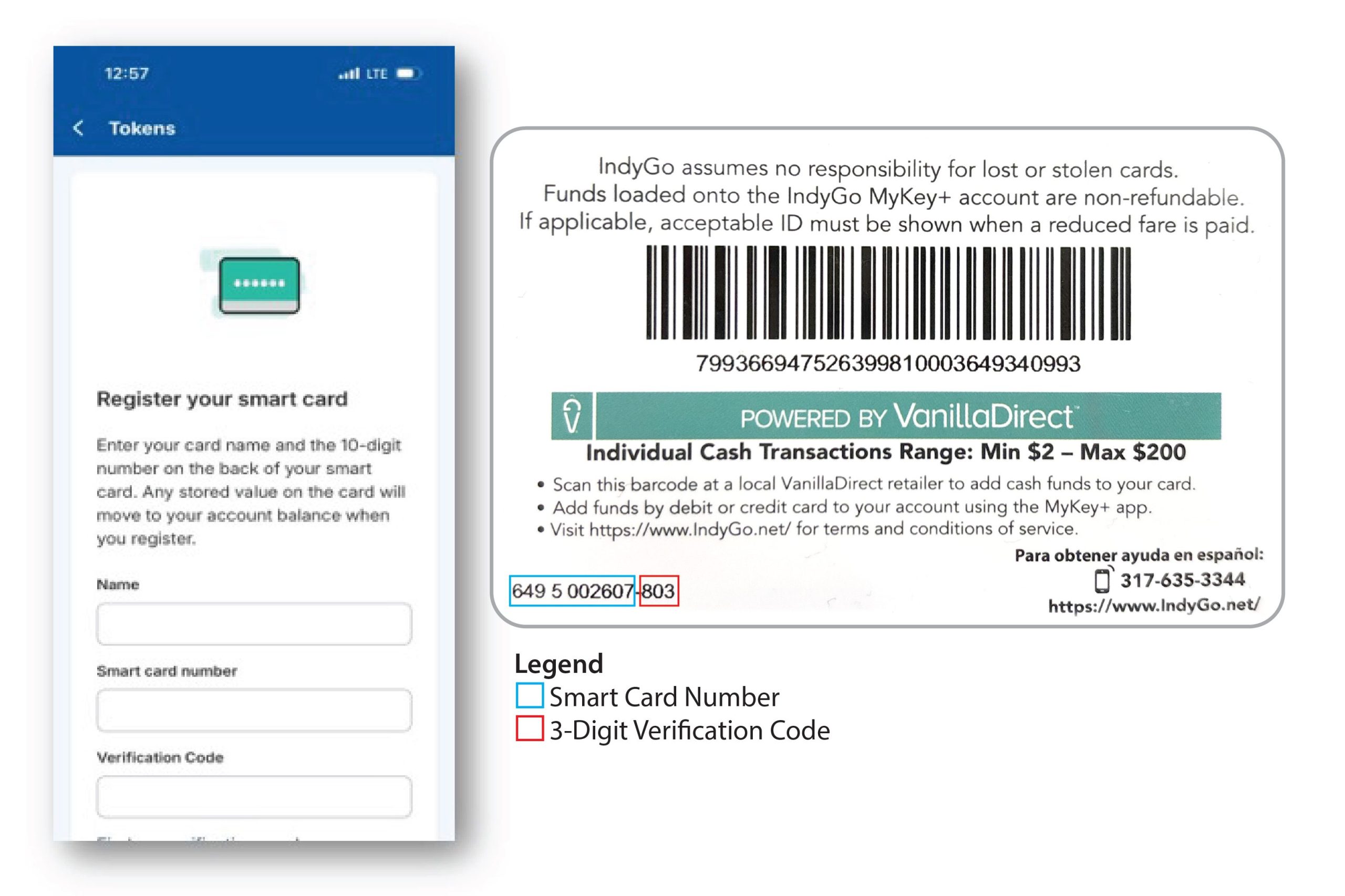
If you are using the MyKey+ app, you can navigate to the “Tokens” section in the app, then click “Add More Tokens.”

You must create a name for the token (the card), and type in the smart card number and 3-digit verification code.

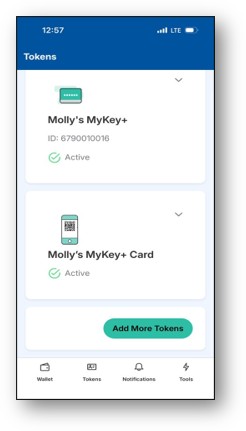
The token (personalized MyKey+ fare-card) will be registered to your account and will be able to use/add passes to once it shows up in the Tokens section of the app or EZFare website.

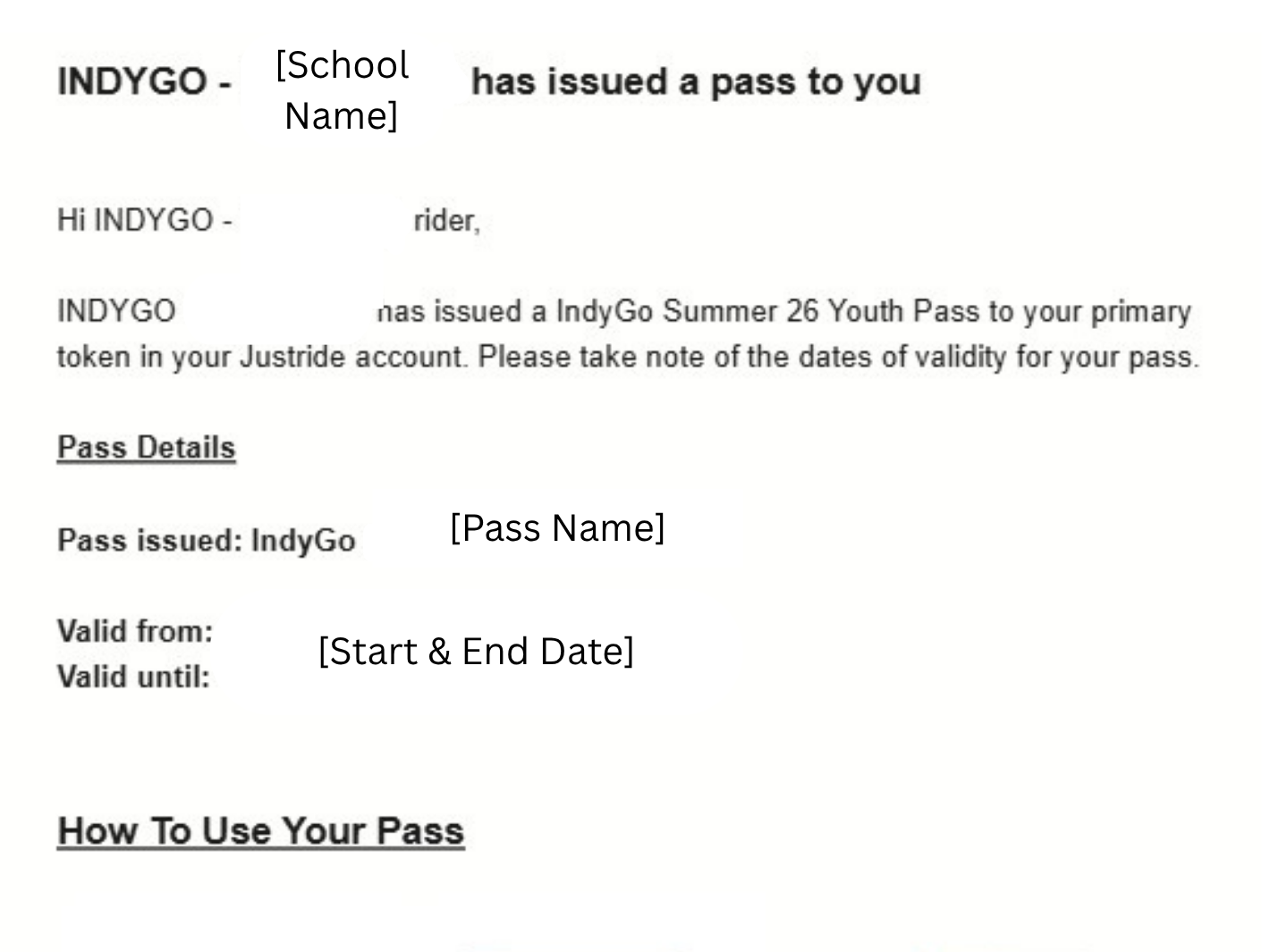
Once a school administrator has issued a pass to you via the Partner Portal, you will receive this email.

The process is then complete! Once you have created an account, linked your app or personalized fare-card to your account, and received a Student Pass, then you can ride fare-free by scanning on every route.

Tips for Riding Successfully

Before the Bus Arrives
  • Arrive at your stop 5–10 minutes early.
  • Stand near the bus stop sign or on the BRT station platform where the bus driver can see you.
  • Double-check you are on the correct side of the street or platform.
  • Verify the route number and destination displayed on the bus as it approaches.
While Riding
  • Tap or scan your pass every time you board.
  • Move away from the doorway after entering.
  • Keep aisles clear of bags and belongings.
  • Be prepared to show proof that you validated your fare if approached by a fare inspection officer.
  • Pull the stop cord or press the stop button to signal to the driver that you need to get o􀆯 at the next stop.
Exiting the Bus
  • Wait until the bus comes to a complete stop.
  • Exit carefully and watch for nearby traffic.
  • Cross streets only at safe, designated crossings.

Student Rider Expectations

Students are subject to the same rules as IndyGo riders. Students who violate transit policies may be removed from service or referred to school administrators. View our Rider Code of Conduct.

Safety Information

  • Stay aware of your surroundings at all stops, stations, vehicles and IndyGo facilities.
  • Keep personal belongings secure.
  • Avoid distractions near traffic or bus doors.
  • Use headphones at a low volume so you can hear announcements while riding.
  • Stand back from the curb or edge of the platform and remain visible to bus drivers while waiting for the bus.
  • Avoid rough housing or unsafe behavior near the street while at any stops or stations.
  • Most buses can carry bicycles on front bike racks. There are bike racks inside each BRT bus near the back of the bus. Riders are responsible for loading and unloading bikes.
  • Skateboards, rollerblades and scooters must be carried while onboard and cannot be used inside or around the Julia M. Carson Transit Center and bus stops/stations.
  • Keep belongings on your lap, under your seat or out of aisles and walkways.

Frequently Asked Questions

Inform your school administrator as soon as possible so they can remove any active passes, then come to the Julia M. Carson Transit Center to get a new MyKey+ card printed. You will be assisted with registering your new card. After that, return to your school administrator to allow them to issue a pass to your new MyKey+ card.

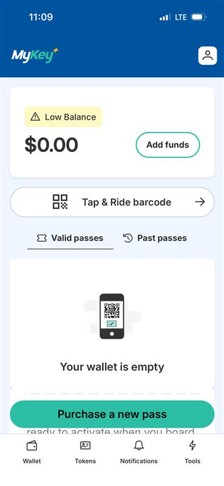
This is a function on the MyKey+ app that appears for all riders with a zero balance. If you are a Partner School Student riding with a fare-free pass provided by your school, you can ignore this. Please do not upload funds to your account, as you ride for free!

Try validating again and ensure your pass is active. If issues continue, contact your school administrator.

During the school year, your school pass grants you access to IndyGo’s service network during all operating hours. Check with your school administrator for further details.

Student passes provide access to IndyGo’s entire bus network. IndyGo’s paratransit service, IndyGo Access, is not part of this program.

Helpful Tools & Apps for Student Riders

transit app logo

The Transit App is used by riders around the world to plan their trips, track their buses, navigate their rides and safely and independently use public transit. Features include realtime bus locations and tracking, step-by-step navigation, pre-planning tools, service alerts and stop reminders.

Text for Bus Arrival Times

If you’re already at a bus stop, you can text your 5-digit stop ID number to 463-208-4344. You will receive real-time arrival information for your stop.

Need Help?

Your school’s program administrator can help advise on procedures related to things like pass activation, enrollment changes and lost/stolen cards.

For general transit assistance, route questions or rider support, call IndyGo’s Customer Care Center at 317-635-3344. You can also visit the Julia M. Carson Transit Center to speak with an IndyGo staff member or visit our IndyGo website for more information.

  • Learn more about MyKey+, IndyGo's new way to pay.